Doop
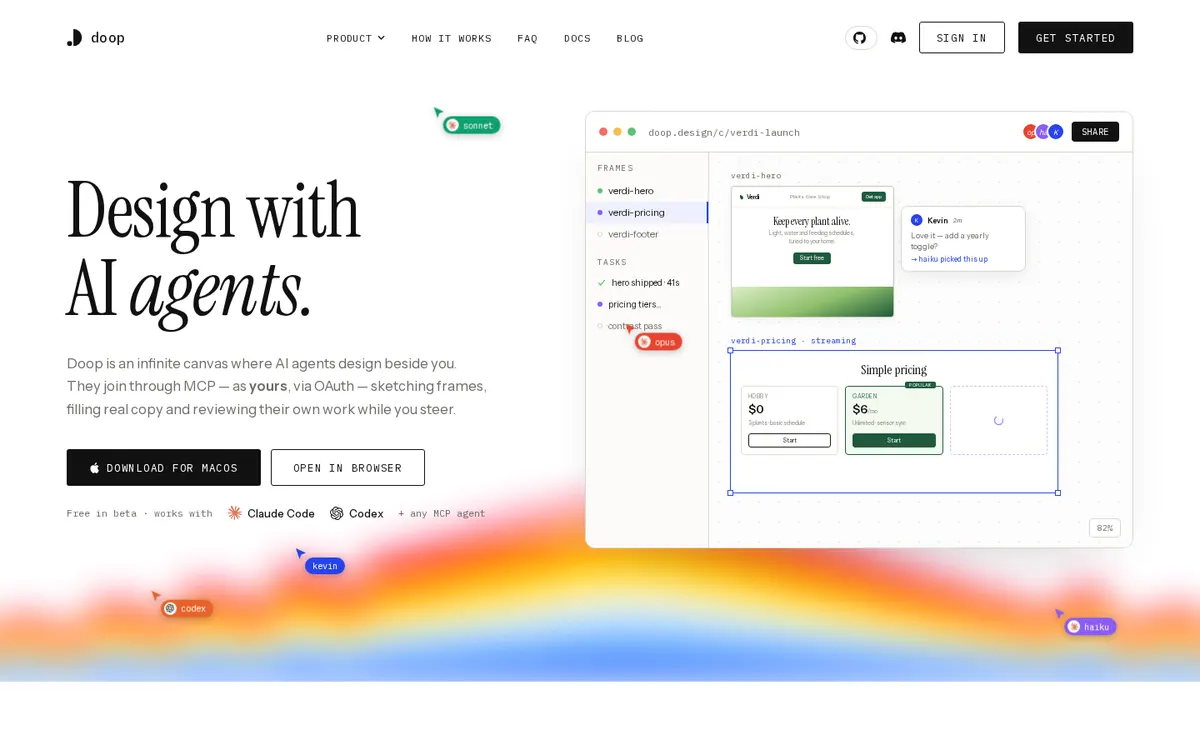
An open-source multiplayer design canvas where Claude Code designs over MCP on your own subscription, and the built-in Doop Agent can run on your ChatGPT subscription.
About Doop
Doop is the open-source alternative to Paper.design: an infinite, multiplayer design canvas where people edit in the browser and AI agents design beside them, live. Claude Code and other MCP clients join over OAuth and drive the canvas on your own subscription, never metered. The built-in Doop Agent, a small design team that picks up cards and comments on its own, runs on a model account each user connects, such as their ChatGPT subscription.
Can you use your ChatGPT plan in Doop?
Yes. Your ChatGPT subscription, for the built-in Doop Agent. Doop's own README warns that driving a ChatGPT subscription from a third-party server is not something OpenAI's terms sanction. Doop's own page says: "Claude Code and any other MCP client authenticate over OAuth and drive the canvas from outside, on your own subscription — never metered."
How to connect your plan
Claude Pro or Max
- Open a canvas on doop.design (or your own Doop server).
- Add Doop's MCP endpoint to Claude Code, e.g.
claude mcp add --transport http doop http://localhost:4300/mcpfor a local server, and approve the OAuth connection in your browser. - Ask Claude Code to design on the canvas; it works on your own subscription, never metered.
ChatGPT Plus or Pro
- In Doop, open Home → Settings and connect a ChatGPT subscription for the Doop Agent.
- On doop.design, type the short code Doop shows at auth.openai.com/codex/device.
- The Doop Agent runs on that account from the next task. Doop's README warns that OpenAI's terms do not sanction driving a ChatGPT subscription from a third-party server.