Conductor
Run a team of Claude Code and Codex agents in parallel on your Mac.
About Conductor
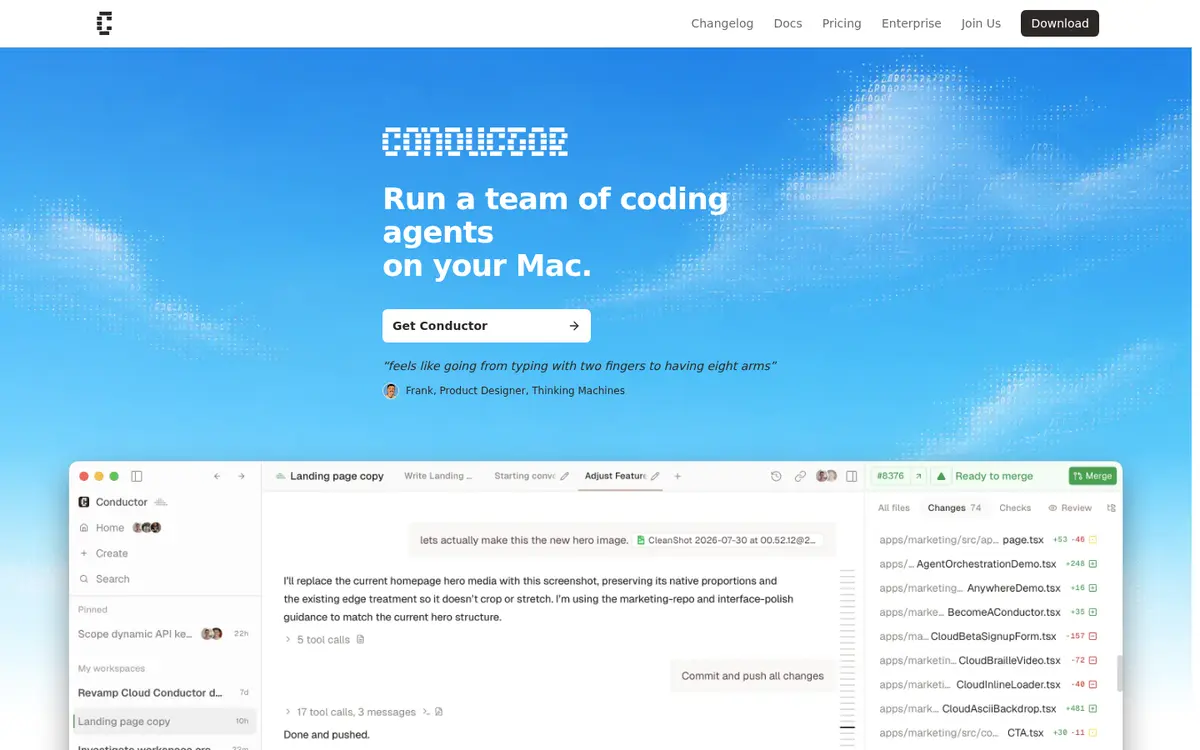
Conductor runs several coding agents side by side, each in its own isolated workspace, and lets you review and merge their changes from one window. Its Claude Code harness can use your Claude subscription or CLI login, and its Codex harness can use your ChatGPT sign-in.
Can you use your Claude subscription in Conductor?
Yes. Conductor runs several Claude Code agents side by side, each in its own workspace, and its docs say Claude Code "can use your Claude subscription, Claude CLI login, an Anthropic API key, or Claude-compatible provider environment variables." Choose the subscription or CLI login to keep the work on your plan.
Can you use your ChatGPT plan in Conductor?
Yes. Conductor's Codex harness uses your ChatGPT sign-in, and Conductor is on OpenAI's Sign in with ChatGPT partner list.
How to connect your plan
Claude Pro or Max
- Download Conductor for Mac.
- Open Settings, then Harnesses.
- For Claude Code, choose your Claude subscription or Claude CLI login.
ChatGPT Plus or Pro
- In Settings, Harnesses, choose Codex.
- Sign in with ChatGPT.
Made for
Questions
Do parallel agents in Conductor use more of my Claude plan?
Yes. Each agent is its own Claude Code session, and every session counts toward the same Pro or Max limits.